Give every support agent a faster inbox and a smarter operating layer.
HelpWave helps teams draft better replies, execute Shopify actions, automate repeatable ticket categories and monitor every AI action from one workspace.
100-150
tickets per hour with the right setup
98%
automation reached in a live support team
1
workspace for inbox, actions and reporting
Agent productivity
What makes the copilot useful in real operations
The product is designed around real support work: triage, reply generation, Shopify operations, views, automation and reporting.
Drafts plus actions
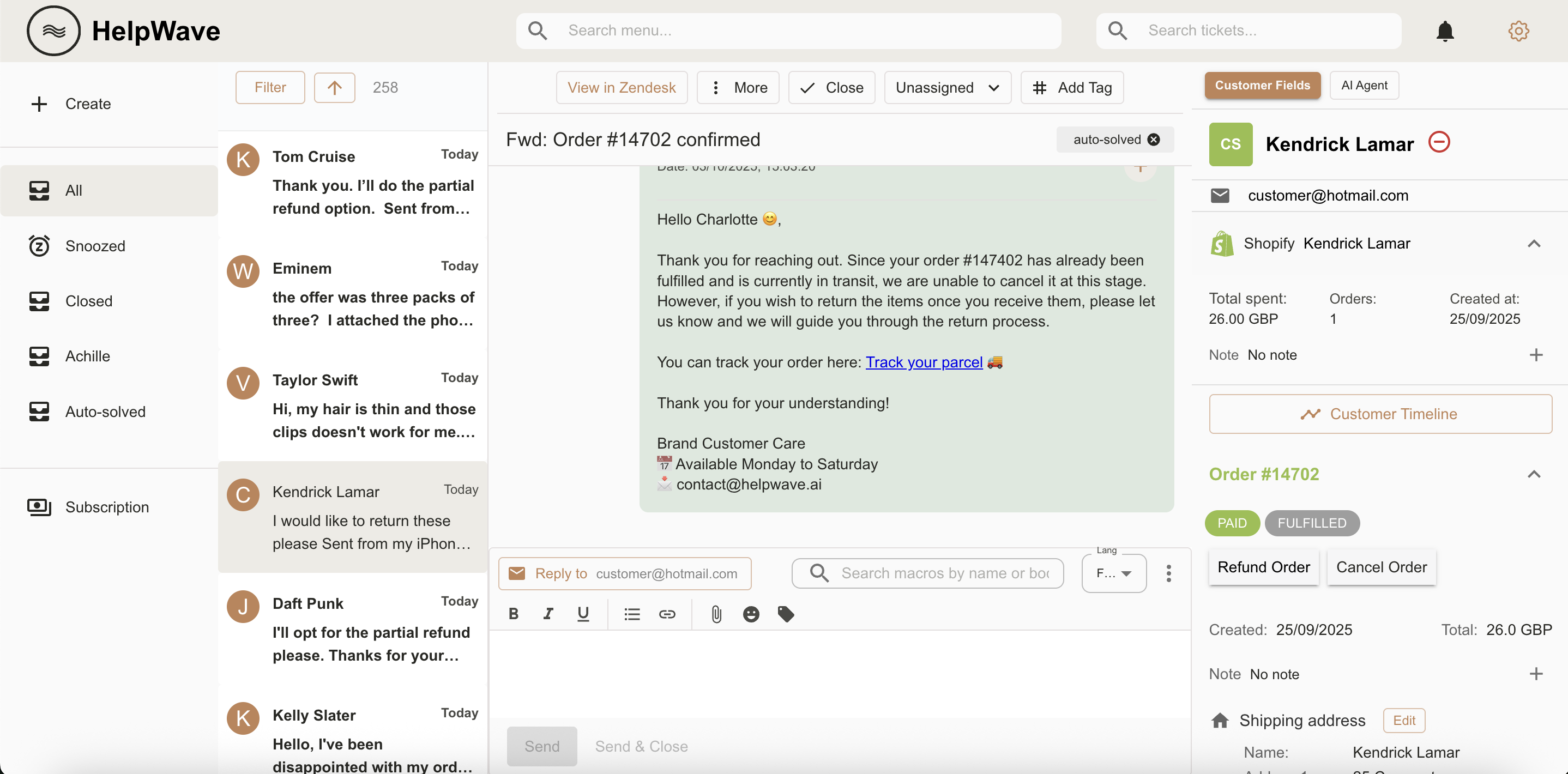
Generate responses and trigger tasks like refunds, shipping address changes or product edits without sending agents back to Shopify.
Grounded support decisions
Train the system on conversations, FAQs, docs and internal rules so replies stay relevant, on-brand and tied to actual process logic.
Safe human review
Agents stay in control when needed, while the AI handles speed, formatting and repetitive operational work in the background.
Built around the real support workflow
01
Prioritize the right queue
Use views and filters to focus on first responses, re-opened tickets and the conversations that affect customer satisfaction most.
02
Resolve without tool switching
Search tickets, inspect Shopify context, write replies and validate actions in the same interface instead of bouncing across tabs.
03
Automate mature categories
Move stable cases like address changes, refunds or order-status requests into the graph editor so they can be solved 24/7.
Product tour
One platform for agents, automation and reporting
Every part of HelpWave is designed to shorten handling time while giving operators tighter control over quality and automation.
Unified inbox
See the full conversation, Shopify data and AI actions in one view so agents can resolve tickets without context switching.
All channels integrated
Bring email, chat, Facebook, Instagram and WhatsApp into the same workspace and manage the queue from unified views.
Tags analytics
Understand why customers contact you, which categories grow over time and where automation should be added next.
Operational reports
Track workload, response time, ticket creation, closure and team performance through the operational dashboards.
AI action monitoring
Review what the AI executed, how many actions were automated and where humans still step in.
Graph automation
Design category-based automations visually so common flows can be routed, solved and escalated with precision.
CSAT analytics
Measure satisfaction and monitor response quality with dedicated CSAT views and trend analysis.
Custom fields
Expose the customer and order fields your team actually needs so agents can act without opening another tool.
Operators get visibility, not a black box
Agent stats and AI monitoring
Review how many actions were automated, where humans stepped in and how AI performance changes over time.
Tag, CSAT and workload analytics
Understand ticket mix, satisfaction, response time and team load to improve both process design and staffing.
Menu-based operational control
Jump directly into Agent Actions, Graph Editor, Views, Integrations and reporting dashboards from the same platform.
Common questions from support leaders
How is this different from macros?
Macros are static and have to be maintained manually. HelpWave combines historical support knowledge, AI drafting and operational actions so agents get relevant suggestions without remembering a macro library.
How do we avoid wrong responses?
Teams can keep human review in the loop where needed, constrain actions with process logic, and automate only the categories that are already well understood.
Can this replace repetitive Shopify work?
Yes. The copilot is built to help agents execute common Shopify-related operations from the support workspace instead of manually jumping between systems.
Start with a copilot, then automate the categories your team already knows best.
HelpWave gives support teams a practical path from faster replies to reliable, controlled automation.