AI customer service for Shopify brands
Automate up to 98% of support and keep the last 2% under control.
HelpWave gives ecommerce teams one inbox, one copilot, and one graph-based automation layer to resolve tickets, execute Shopify actions, and monitor every outcome.
100-150
tickets per hour with the copilot
Draft replies, order edits, refunds and shipping changes from one workspace.
98%
automation achieved in a live support team
Routine tickets can be auto-solved with graphs, policies and AI actions.
24/7
coverage across email, chat and social
Centralize channels and keep response quality consistent at any hour.
1
Shopify-native workspace for agents and ops
Search tickets, edit orders, review risk and track performance without jumping tools.
Trusted by fast-moving Shopify brands











HelpWave Operating System
Built for teams that need more than an AI text box
HelpWave combines agent productivity, automation control and operational visibility in the same product.
Copilot that takes actions
Agents can ask HelpWave to draft replies, refund orders, edit shipping addresses, change products and close tickets without leaving the inbox.
Graph automation for repeatable cases
Turn common workflows like change-address, refund-policy or order-status handling into graph-based automations that run without human intervention.
Reporting for operators, not just analysts
Track AI actions, first response time, tag distribution, CSAT and team workload so you can see what the system is doing and where to improve it.
Product tour
One platform for agents, automation and reporting
Every part of HelpWave is designed to shorten handling time while giving operators tighter control over quality and automation.
Unified inbox
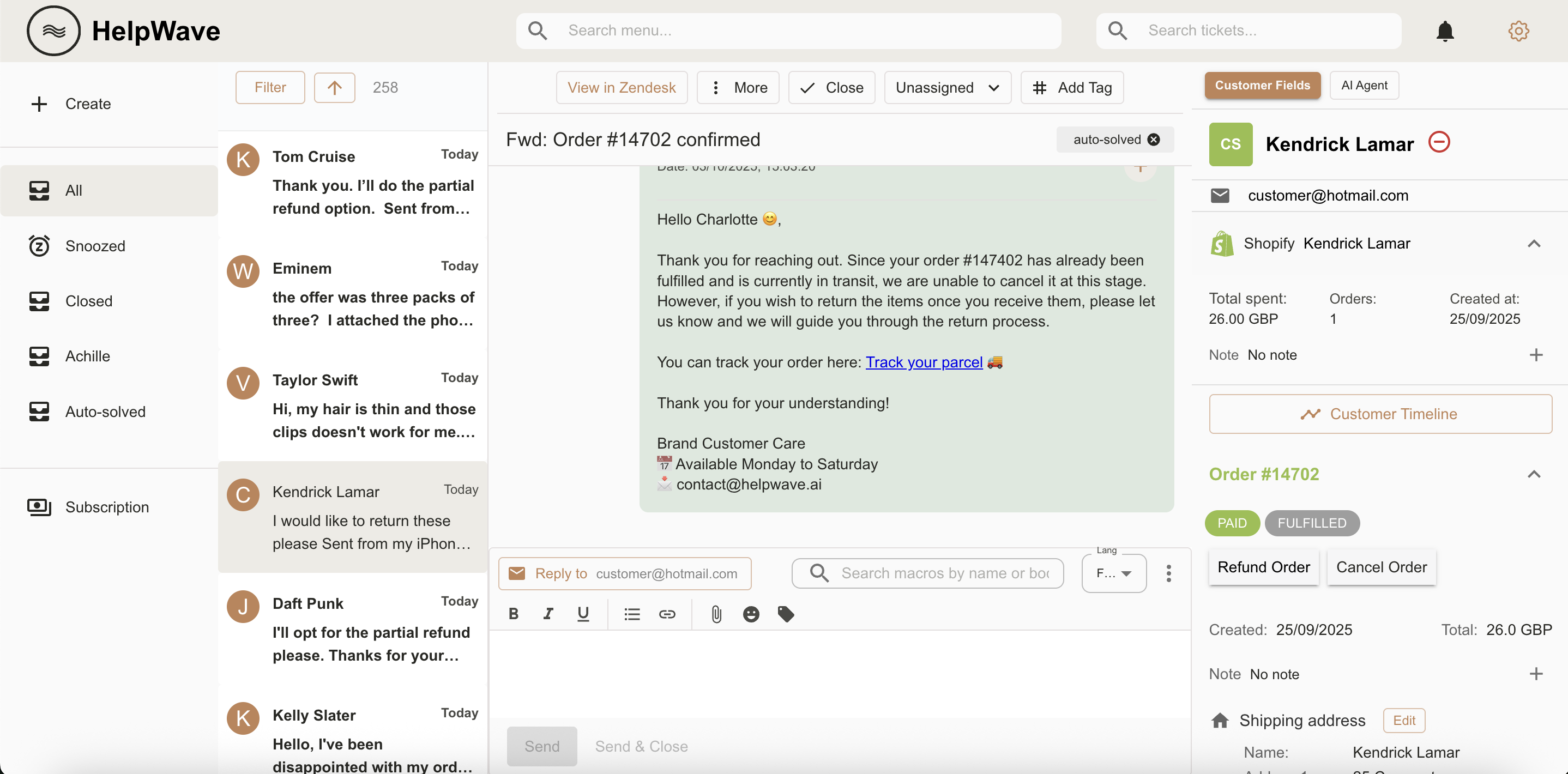
See the full conversation, Shopify data and AI actions in one view so agents can resolve tickets without context switching.
All channels integrated
Bring email, chat, Facebook, Instagram and WhatsApp into the same workspace and manage the queue from unified views.
Tags analytics
Understand why customers contact you, which categories grow over time and where automation should be added next.
Operational reports
Track workload, response time, ticket creation, closure and team performance through the operational dashboards.
AI action monitoring
Review what the AI executed, how many actions were automated and where humans still step in.
Graph automation
Design category-based automations visually so common flows can be routed, solved and escalated with precision.
CSAT analytics
Measure satisfaction and monitor response quality with dedicated CSAT views and trend analysis.
Custom fields
Expose the customer and order fields your team actually needs so agents can act without opening another tool.
Workflow Fit
How support teams use HelpWave
The product is designed around the real flow of a high-volume support operation.
01
Work every channel in one inbox
Email, WhatsApp, Facebook, Instagram and chat live in the same workspace, with merged customer conversations and Shopify context on the side.
02
Prioritize and resolve faster
Use views, ticket search and AI response generation to focus on first-response SLAs, follow-ups and high-impact tickets without manual triage overhead.
03
Scale what already works
Once an agent flow is reliable, move it into the graph editor and let automation handle the category 24/7 while humans stay focused on exceptions.
Why teams switch from fragmented support stacks
Native Shopify actions
Refund orders, edit shipping addresses, update products and manage support work directly from HelpWave.
Operational menu search
Jump straight to Graph Editor, Agent Actions, Views, Integrations or reporting dashboards from the top menu search bar.
Migration without retraining
Teams moving from tools like Gorgias keep a familiar workflow but gain automation depth, AI actions and analytics in the same UI.


Give your team a faster inbox and give your AI real work to do.
Start with copilot-assisted agents, then automate the categories you already understand best.